Every “best SEO Chrome extension” roundup gives you 15 to 30 tools, each doing a different thing. You install four of them, pin them to your toolbar, and three weeks later you are using one. That one earns its place because it is fast, surfacing the data you need without a context switch.
This guide focuses on on-page auditing, the most frequent workflow for working SEOs , and what separates an extension that stays installed from one that gets removed.
Why most SEO extension lists are not useful
The “best of” format incentivizes breadth over depth. Lists include redirect checkers, keyword research tools, SERP simulators, DA checkers, and email scrapers under the same category: SEO Chrome extensions. These tools solve different problems at different stages of work.
If you are auditing on-page signals, title tags, meta descriptions, heading structure, canonical URLs, Open Graph data, internal links , you need one extension that does all of those well, not five extensions that each do one thing.
The extension that stays on your toolbar is the one that answers the question “what is wrong with this page right now” in under 10 seconds, without requiring a login or subscription.
What on-page auditing from the browser actually looks like
The workflow is faster than most SEOs realize. You are on a page. Something feels off, a title looks truncated, a page dropped in rankings, a new post went live and you want to spot-check it. You open one extension and get:
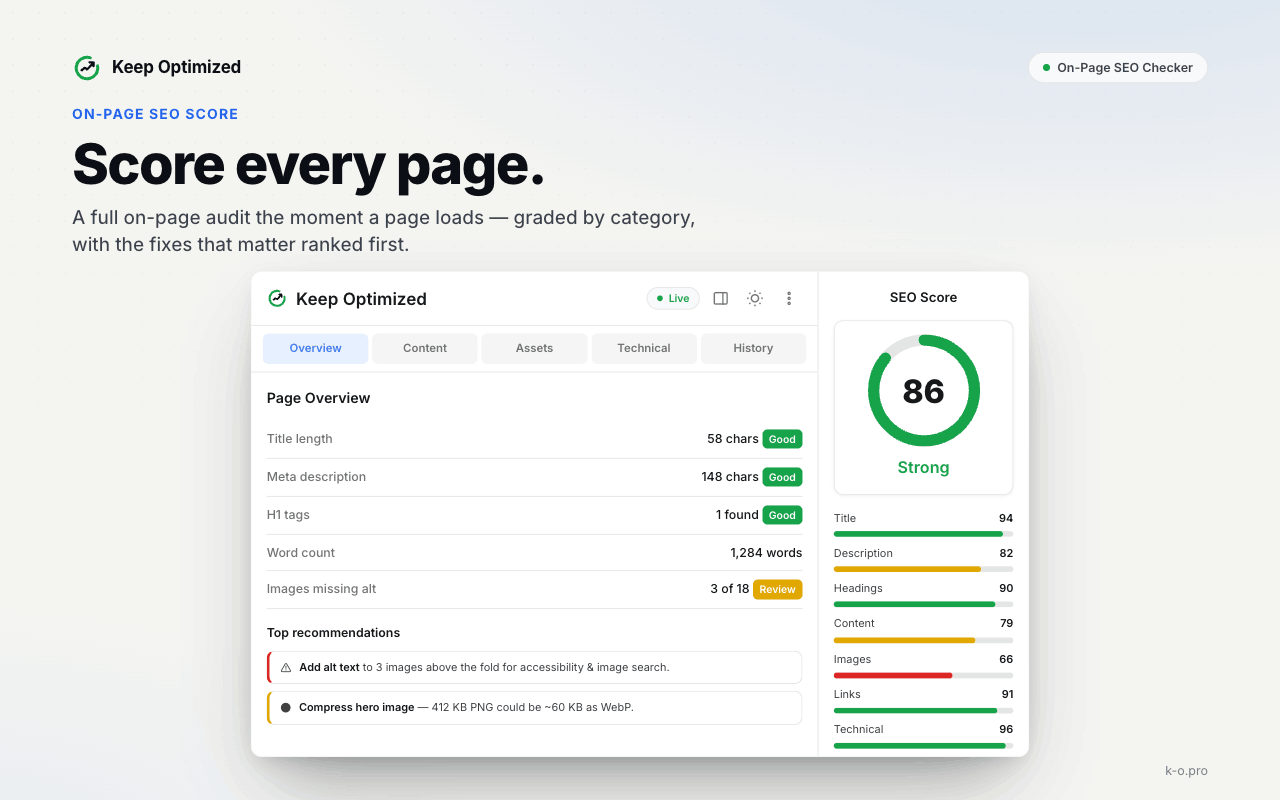
- Title tag character count and pixel width
- Meta description length
- H1 count (should be one per page)
- Heading hierarchy (H1 to H6 order, flagging skipped levels)
- Canonical URL, what is declared and whether it points to self or elsewhere
- Open Graph tags, presence, og:image URL, og:description
- Internal and external link count
- Image alt text flags
That is the full on-page audit most pages need. You are not running a 200-point technical crawl, you are doing a 60-second quality check.
The checks that matter most, and why
Title tag and meta description
Title tags above approximately 60 characters (580px rendered width) get truncated in search results. Meta descriptions over 160 characters get cut off. Both are visible to users before they click, getting them wrong costs CTR before the page even has a chance to rank.
What to check: length, presence of the primary keyword, and that the title tag is distinct from the H1. Using identical title and H1 is a missed opportunity, the title tag targets search result appearance, the H1 serves the page reader. They can share a keyword without being identical.
Canonical tag
A page with a self-referencing canonical is telling Google “index me.” A page with a canonical pointing to a different URL is telling Google “index that page instead, not this one.” If that is not intentional, and it often is not after CMS template changes or migrations , you have a silent indexation problem.
The check is one data point, but it is one of the highest-value single checks on any page.
Heading structure
Multiple H1s on a page used to be a standard error; Google is more tolerant now. But broken heading hierarchy, H1 directly to H3, H2 sections that skip to H4 , is a symptom of template or CMS issues that accumulate over time. It makes pages harder to parse for both crawlers and users.
The extension check matters here for one specific reason: rendered DOM versus HTML. A crawler reading source HTML and a Chrome extension showing the rendered page can return different heading counts, because JavaScript frameworks often inject headings after page load. The browser extension gives you what a user (and a rendering Googlebot) actually sees.
Open Graph tags
Missing og:image means a blank preview card on LinkedIn, Facebook, or Slack when someone shares the URL. Missing og:description means those platforms use whatever text they find first. These are not ranking factors, but they affect click-through rates on every social share and direct link.
What to look for in an on-page audit extension
Speed. The extension should load data without a visible delay. If you have to wait more than two seconds after opening it, the friction is high enough that you will stop using it.
No login required for basic checks. Meta tags, headings, canonical, and OG data are all in the page source. An extension that gates these behind an account is solving the wrong problem.
Rendered DOM, not just source HTML. For sites using React, Vue, or other JavaScript frameworks, source HTML often does not reflect what is actually on the page. An extension that reads the rendered DOM catches issues that source-only parsers miss.
Canonical status clearly shown. Not just the canonical URL, but whether it is self-referencing or pointing elsewhere. The difference is significant.
Coverage of the full on-page set. Title, meta, H1-H6, canonical, OG, links, images. Extensions that skip any of these require you to open a second tool.
Keep Optimized: built for this workflow
Keep Optimized by k-o.pro is a free Chrome extension that covers the full on-page audit set in a single panel: meta tags analysis, heading structure with hierarchy visualization, canonical URL status, Open Graph data, link checker, and an overall SEO score.
It is designed for the 60-second workflow, open the extension on any page and get the audit without leaving the browser. No subscription, no account login for core checks.
The extension is available in the Chrome Web Store and works on any page, including JavaScript-rendered sites that use dynamic content injection. It reads the rendered DOM, not just the source HTML, which matters for SPAs and any site with a modern frontend framework.
For SEOs doing daily content reviews, spot-checking pages after deployment, or running quick audits during site migrations, having the full on-page layer available in one click changes how much actually gets caught between full crawls.
How to use a browser extension in a real audit workflow
The extension is for frequency, not depth. A full crawl with Screaming Frog or SE Ranking’s site audit finds everything. The browser extension is what you use between crawls.
Three triggers that should make you open it:
After any page publish. New pages are the most likely to have template-induced errors: missing OG images, wrong canonical from a staging environment, heading structure errors from the CMS default. A 30-second extension check after publish catches these before they compound.
When a page drops in rankings. Before opening rank tracking data or GSC, run the extension. It rules out the obvious technical causes, broken canonical, missing title tag, duplicate H1 , in under a minute. If those are clean, the problem is likely not on-page.
On any page you did not build. Third-party landing pages, guest posts on your domain, pages from developers who are not SEO-aware, all of these are likely to have at least one on-page issue. The extension gives you a fast yes/no before committing time to a deeper investigation.
The goal is not to replace your technical SEO process. It is to eliminate the gap between crawls where issues accumulate undetected. Most on-page problems live in that gap.
Read more: How IPL Teams Build Loyal Fan Communities
How to win at midas golden touch
How Dermal Fillers Enhance Facial Contours and Improve Symmetry