A power station can power a home office all day when its battery capacity and output match the equipment you use. A typical setup may include a laptop or desktop computer, one or more monitors, a Wi-Fi router, lighting, and small accessories. The key is to calculate total energy use in watt-hours, not just compare device wattage with the station’s maximum output. With sensible sizing and efficient equipment, a portable power station can provide reliable workday backup during outages or support a productive office where grid power is unavailable.
How Much Power Does a Home Office Use in a Workday?
Calculate Laptop and Desktop Computer Power Use
Start by checking the power rating of your main computer. Many laptops use relatively modest power during ordinary office tasks, although consumption can rise during charging, video calls, rendering, or other intensive work. Desktop computers generally require more electricity, especially systems with powerful processors or dedicated graphics cards. Use a plug-in power meter for the most accurate real-world figure, or refer to the device and power-supply specifications. Multiply average watts by the number of hours you expect to work. This gives an energy estimate in watt-hours and creates the foundation for sizing your power station correctly.
Add Monitors, Wi-Fi, and Essential Office Equipment
Next, include every device needed to keep the office functional. Monitors can represent a meaningful share of daily consumption, particularly when you use multiple or larger displays. Add the Wi-Fi router and modem, desk lighting, speakers, phone chargers, external drives, and other equipment that will remain connected. Printers and similar devices may draw little energy while idle but can require considerably more power while operating. Record each device’s typical wattage and expected daily runtime rather than assuming everything runs at full power continuously. This produces a more realistic estimate and helps prevent buying excessive battery capacity.
Estimate Total Watt-Hours for an 8-Hour Workday
Convert the office load into watt-hours to estimate energy needed for an eight-hour workday. For example, equipment averaging 150 watts for eight hours uses about 1,200 watt-hours, or 1.2 kilowatt-hours. If some devices operate only occasionally, calculate them separately and add their energy use to the total. A computer that changes power draw throughout the day is best estimated from measured average consumption. Once you have a workday total, add a practical reserve for conversion losses and unexpected use. That figure provides a sound basis for selecting battery capacity.
What Size Power Station Can Run a Home Office All Day?
Match Battery Capacity to Your Daily Energy Needs
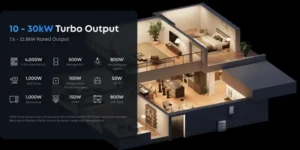
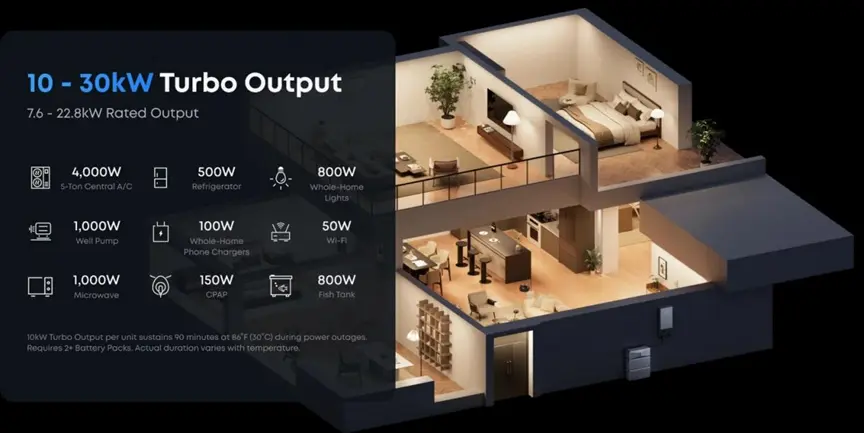
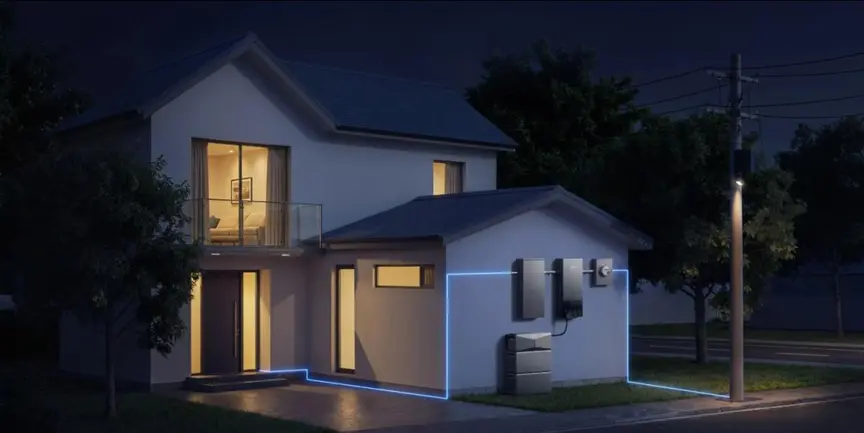
Choose battery capacity from your calculated daily energy needs while also considering the output required for broader backup. If an office consumes about 1,200 watt-hours per workday, usable capacity should exceed that figure to cover conversion losses and provide a reserve. For users who want home-office backup as part of whole-home protection, the Anker SOLIX E10 Whole-Home Backup Generator offers substantial output. One E10 delivers 10kW Turbo output for up to 90 minutes and 7.6kW continuous output to handle peak and always-on demands. With three E10s, the system expands to 30kW Turbo and 22.8kW continuous output, supporting even high-consumption households.
Check Continuous Output and Peak Power Requirements
Battery capacity determines runtime, while output rating determines whether the station can operate your equipment at the same time. Add the wattage of devices that may run simultaneously and confirm the total remains below the power station’s continuous AC output rating. Also consider short peaks from equipment such as laser printers or devices with higher startup demand. A quality pure sine wave inverter is valuable for a home office because it supplies AC power with a waveform suitable for a broad range of electronics. Leave output headroom so brief changes in demand do not overload the station.
Account for Inverter Losses and Usable Battery Capacity
A power station’s advertised battery capacity is not identical to the energy that reaches your office equipment. Converting stored DC energy to AC electricity consumes power, so inverter losses reduce usable output. The station’s electronics, cooling fans, and standby functions also use energy. Avoid sizing a battery so closely that its rated watt-hours merely equal your calculated workload. Build in a reasonable reserve and consult manufacturer specifications for usable capacity or efficiency information when available. Accounting for these operating losses improves the likelihood that the power station can support your equipment throughout a full workday without reaching an unexpectedly low battery level.
How to Extend Power Station Runtime While Working
Prioritize Essential Devices and Cut Standby Power
When runtime matters, power the equipment that directly supports your work and disconnect devices you do not need. Extra monitors, speakers, decorative lighting, chargers, and idle peripherals can gradually consume valuable battery energy. Turn off equipment during long breaks rather than leaving it running, and disable unnecessary sleep-prevention settings on computers and displays. Smart power strips can make groups of accessories easier to shut down. These small reductions add up across an eight-hour shift. Prioritizing the computer, primary monitor, network equipment, and essential lighting helps reserve stored energy for productive work.
Use Efficient Charging Ports for Laptops and Accessories
Use the most efficient connection available for each device. If a power station provides USB-C Power Delivery at the voltage and wattage your laptop requires, connecting directly can avoid running an AC charger and may reduce conversion steps. USB ports are also practical for phones, tablets, headsets, and compatible accessories. Check each port’s output rating before connecting equipment, since not every USB-C port can supply enough power for a laptop. Reserve AC outlets for devices that actually require mains power. Efficient port selection reduces unnecessary conversion losses and can stretch available battery energy farther across the workday.
Recharge With Solar or AC Power During the Workday
Recharging while you work can extend runtime beyond the battery’s stored capacity. When grid power is available, AC charging can restore energy quickly, while compatible solar panels can add power during daylight. Compare the station’s maximum solar input, supported voltage range, and charging specifications before choosing panels. Solar production changes with sunlight, panel angle, shading, and weather, so treat it as a useful contribution rather than guaranteed fixed output. A system that supports simultaneous charging and output, when approved by the manufacturer, can make continuous office operation easier during long workdays or extended outages.
Conclusion
Yes, a properly sized power station can run a home office for a full eight-hour workday. Start by calculating the watt-hours used by your computer, monitors, network equipment, lighting, and essential accessories. Then choose a station with enough usable battery capacity to cover that total plus conversion losses and a practical reserve. Its continuous output must also support all devices operating at the same time. You can extend runtime by eliminating unnecessary loads, using efficient direct charging connections, and adding AC or solar charging when available. Careful load planning turns a power station into dependable home-office backup.
Also Read
- /understanding-real-estate-terms-a-glossary-for-first-time-home-sellers/
- the-small-touches-that-make-lifes-milestones-more-beautiful/
- preparing-homes-for-the-future-with-a-reliable-roof-replacement-strategy/