I have sat through enough dull e-learning videos to know that the format itself is often the problem. The content might be solid. The instructor might know their material. But the moment a talking head appears against a plain background with flat audio, most learners have already mentally checked out.
That changed when I started using Vidnoz AI.
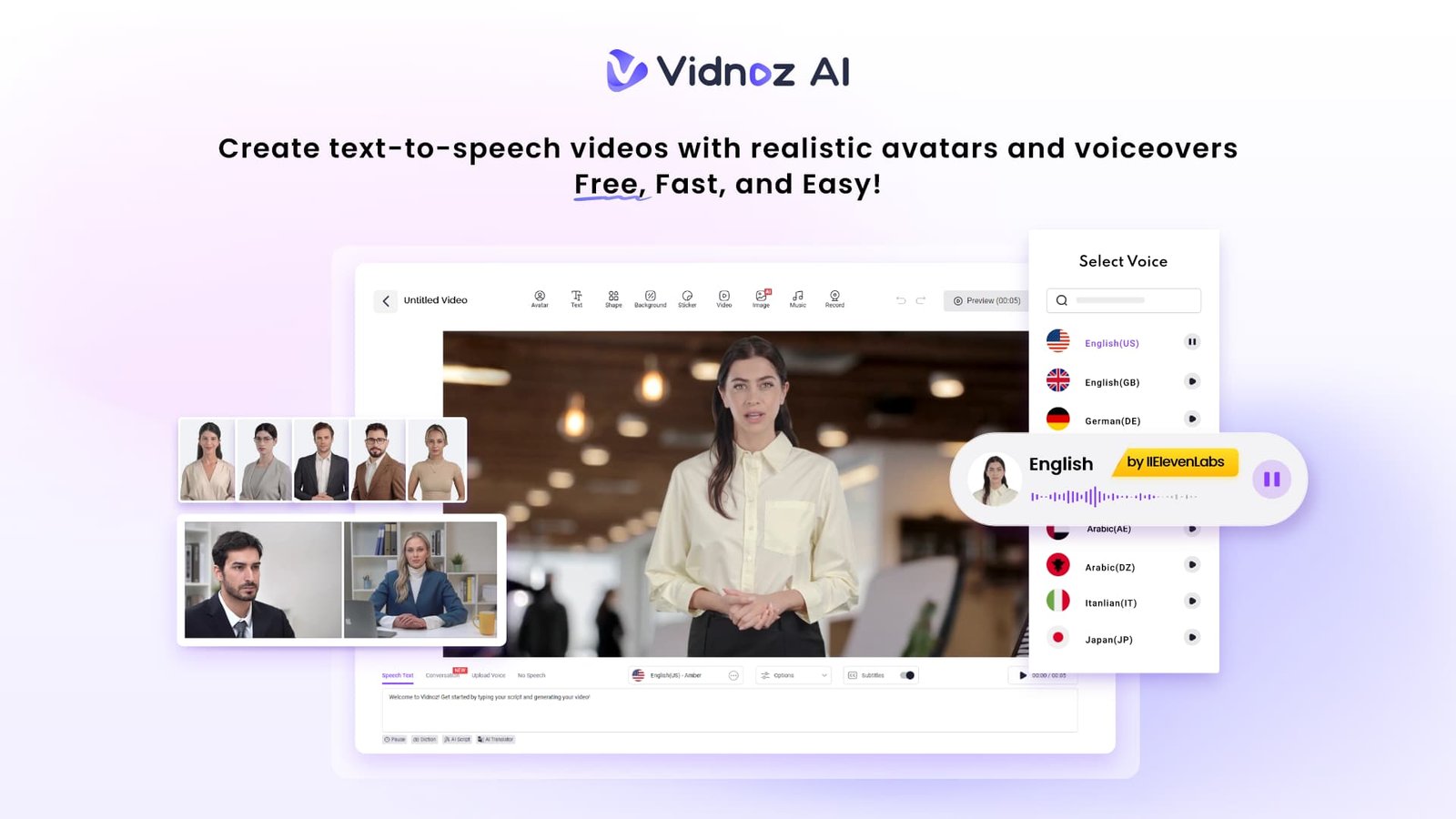
Vidnoz AI is a free AI-powered video creation platform that makes professional learning content genuinely achievable without a production team or a video editing background. It is certified with ISO/IEC 27001:2022 for Information Security Management, which matters when you are creating content that includes sensitive training material or proprietary company information.
Here is what I found after using it across several different training programmes.
Why Lifelike Avatars Change How People Actually Learn
The core problem with most digital learning content is presence. Or the lack of it. Slides do not hold attention. Static narration loses people halfway through. What learners respond to is a human face delivering information in a way that feels direct and engaged. That is the gap Vidnoz AI was built to close, and it does it better than anything else I have tested in this space.
Beyond the existing library, the customization options are genuinely useful for learning contexts:
- Digital twin: Create an avatar that represents you or a subject matter expert from your organization, giving the content a personal authority that generic presenters cannot replicate
- Expressive avatar: More animated delivery styles that work particularly well for younger learners or high-energy content where a flat presentation style loses engagement quickly
- Product avatar: Ideal for product training, demonstrations, or technical content where the focus needs to stay on what is being shown rather than the presenter
I used a digital twin for a leadership development series, and the feedback was immediate. Participants said the content felt more personal and credible than anything they had seen from the previous platform we used.
The Features That Make a Real Difference
Here is where Vidnoz AI separates itself from the tools most learning and development teams are currently working with. Each feature below addresses a specific friction point I ran into repeatedly with other platforms before switching.
1900+ Lifelike AI Avatars
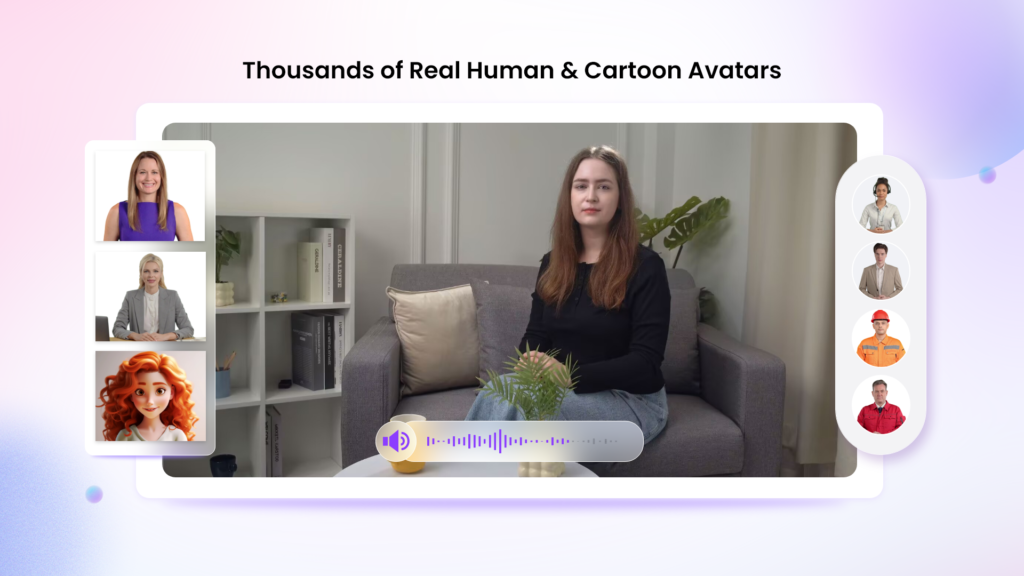
One of the biggest time savers is the library of 1,900+ lifelike AI avatars covering a wide range of industries, professions, and roles. Rather than settling for a generic presenter, there is almost always an existing or customizable avatar that matches your content. Whether you need a digital twin, an expressive avatar for engaging lessons, or a product avatar for demonstrations, the platform gives you options that fit the context.
For training teams, this eliminates the need to book presenters or record new footage every time content changes. Simply update the script, choose the right avatar, and generate a new version in minutes.
2000+ Lip Sync AI Voices in 140+ Languages
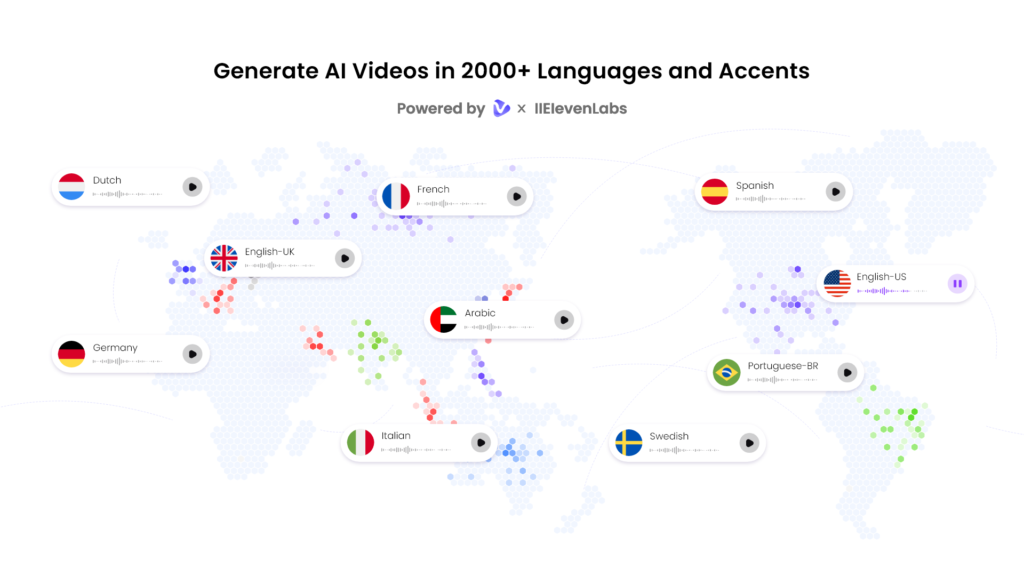
The voice quality here is noticeably better than most AI voiceover tools because it draws from ElevenLabs, Microsoft, and Google rather than a single engine. That combination matters for quality consistency across different languages and speaking styles.
For organizations delivering training across multiple regions, the language range is the practical differentiator. I produced the same compliance module in four languages without recording a single human voiceover, and the lip sync accuracy held up across all of them. For a global L&D team, that alone saves weeks of production time per year.
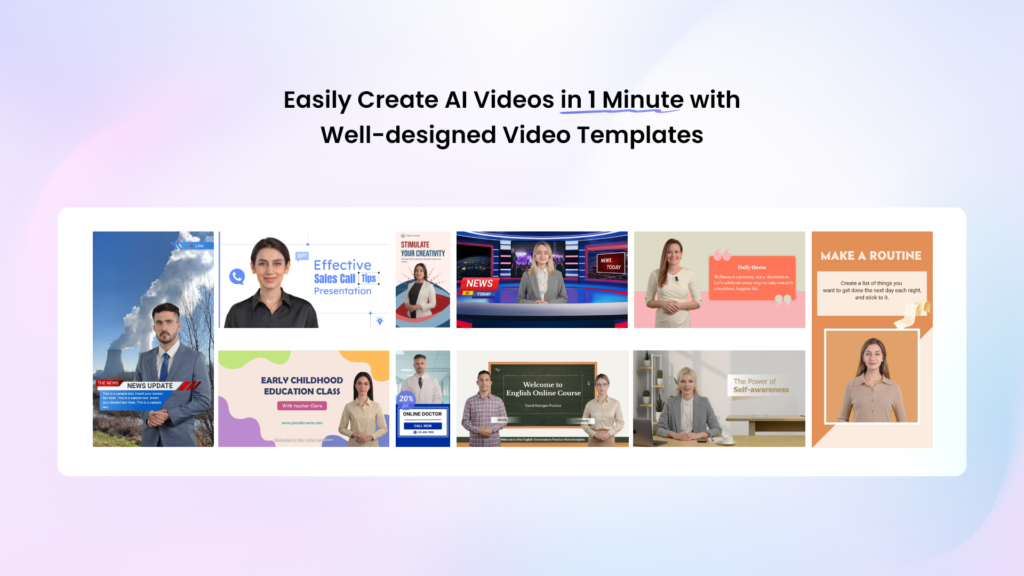
2800+ Pre-Designed Video Templates
Starting from a template that already fits the format you need saves time that most learning and development teams simply do not have. The library covers onboarding, product training, soft skills development, compliance, and more. Customization is straightforward. Add your branding, adjust the script, and the template becomes yours rather than looking like something off a shelf.
What I found particularly useful is how the templates are structured for learning, specifically. They are not generic marketing video formats repurposed for training. They are built around the pacing and information hierarchy that actually works for learners trying to retain something.
Free Daily Use With HD Export
Every user gets 30 credits of free video generation per day. That sounds modest, but for short training clips and quick knowledge checks, it is a genuine working allowance, not a teaser. Export videos in HD and share instantly through email, Slack, your LMS, or any other channel your learners already use.
For teams on a tight budget, this free access is a real starting point. You can build, test, and iterate on content before committing to a paid plan.
How to Create a Learning Video With Vidnoz AI
The process is faster than most people expect the first time through it. Open the Vidnoz AI video generator official website.
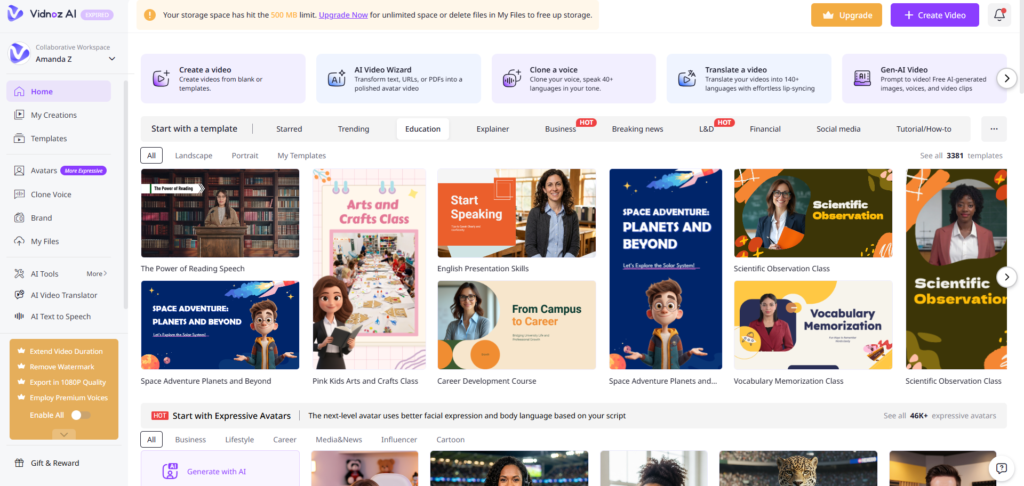
Step 1: Choose a Template and Avatar
Browse the template library and select one that fits your training format and learning objective. Then choose an avatar that suits the tone and context, whether that is a formal corporate presenter for a compliance module or something more approachable for a soft skills session. With 1900-plus options, finding a match takes less time than you expect.
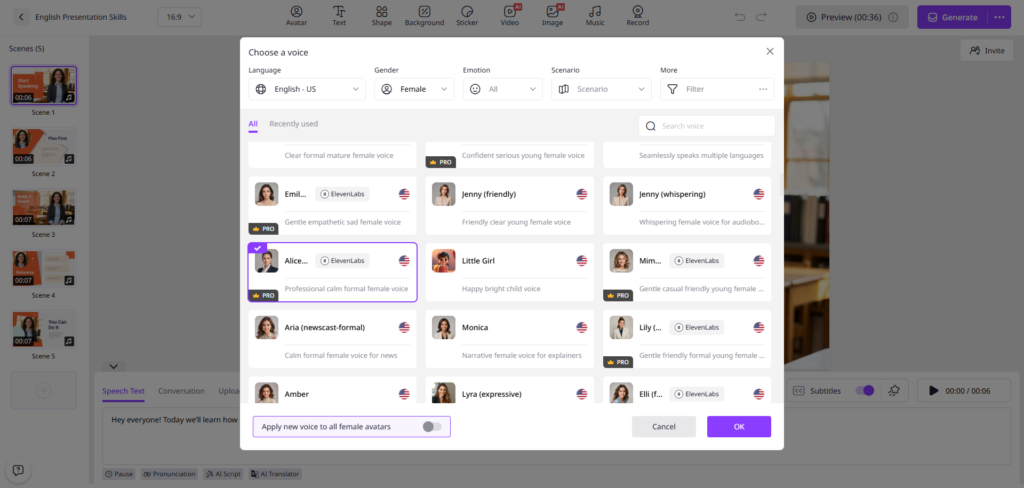
Step 2: Create AI Voiceover
Write your script and select a voice from the 2000-plus options available. Pick the language, speaking pace, and tone that match your audience. The AI generates the voiceover and syncs it automatically to your avatar’s lip movements. No recording equipment, no takes, no editing audio separately.
Step 3: Add Custom Touch
Add your organization’s branding, supporting graphics, captions, or interactive elements. This is where the video stops feeling like a template and starts feeling like something built specifically for your learners. Short videos work best here. Aim for one to two minutes per module where possible.
Step 4: Generate AI Video and Share
Hit generate, and the video renders quickly. Export in HD and distribute through your LMS, email, Slack, or any other channel your learners already use. Updates are straightforward when content needs refreshing, which matters for compliance training that changes annually.
My Honest Verdict
The simple truth is that most learning content underperforms not because the information is wrong but because the delivery does not hold attention long enough for it to land. Vidnoz AI solves the delivery problem without requiring a production budget or a specialist team.
For anyone responsible for learning and development content, the free daily tier is a genuine starting point. Run it on one module, share it with a small group, and measure whether engagement improves. In my experience, it does.
And once you see the difference a lifelike avatar and a properly synced voiceover make to how learners respond, going back to slides feels like a step backward.
Also Read
- How Blockchain Technology Works in Simple Terms
- Financial Terminology: Life Insurance Words Explained